The dev CLI Makes Agentastic Programmable
Agentastic is designed a fully programmable workspace for Agents. That matters because the useful part of an agentic IDE is not only the UI. It is the control plane around the UI. Agents need to open panes, ask for attention, inspect a browser, pack repository context, create worktrees, and report what they are doing. Users need to check that work from a terminal, a script, a scheduler, or a phone.
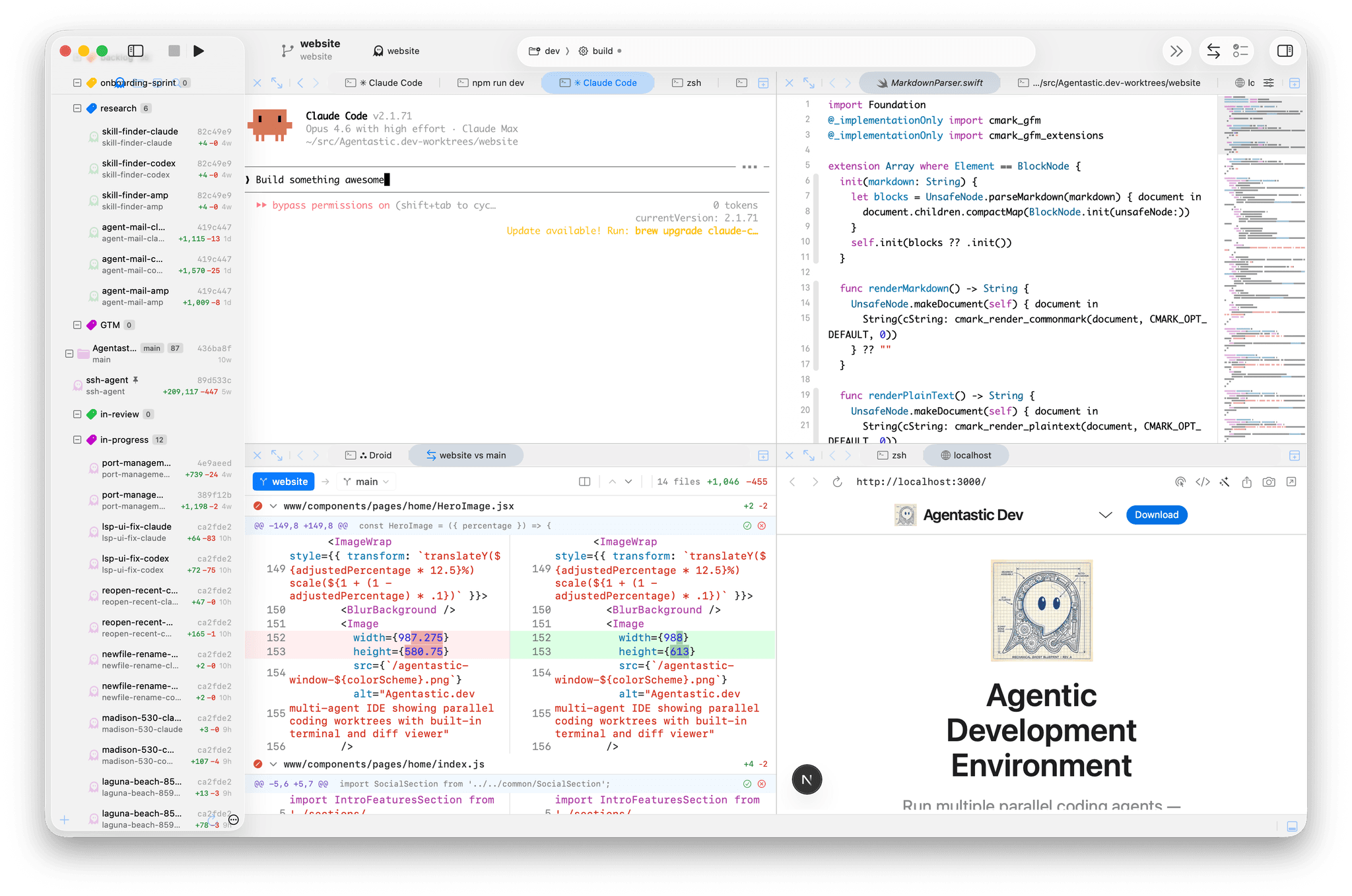
We built dev CLI for this purpose.
Agentastic ships two CLIs with the same name:
- The internal
devCLI, injected into every Agentastic terminal. - The system-wide
devCLI, installable to your PATH so anything on the Mac can control a running Agentastic instance.
Both speak to the app over the same local JSON-RPC socket. The difference is where they run and how they choose their target.
The internal dev CLI
The internal dev CLI is the one agents see inside Agentastic terminals. Every terminal that you open inside agentastic automatically has access to this CLI. It is automatically injected by the app, along with environment variables such as AGENTASTIC_TERMINAL_ID, AGENTASTIC_SOCKET_PATH, and, when relevant, AGENTASTIC_BROWSER_ID.
That terminal-local context is the point. An agent does not need to know which window it belongs to or which socket to use. It can just run:
dev notify --title "Need input" --body "Should I apply this migration?"
The notification is routed back to the owning terminal and worktree. This turns the terminal from a passive text stream into an interactive control surface. The agent can signal state, manipulate the workspace, and ask the app to do things that are awkward from a plain shell.
Notifications: agents can raise their hand
dev notify lets an agent create an Agentastic notification from the terminal:
dev notify --title "Tests are blocked" \
  --subtitle "payments-codex" \
  --body "Testing finished. PR is blocked"
This is small, but it changes the workflow. Instead of polling every terminal, you can let agents surface important moments: waiting for approval, ready for review, failing tests, or a decision that needs a human.
Splits and sessions: agents can shape their workspace
Agent work is terminal work. Sometimes one pane is not enough.
The internal CLI can open tabs and split panes:
dev newtab
dev split
dev vsplit
dev hsplit
For addressable panes, use session commands:
dev session split output --vertical
dev session run --session <session_id> "npm test"
dev session focus <session_id>
dev resume
This lets an agent keep a long-running server in one pane, run tests in another, and resume the original interactive session without depending on manual window management.
Worktrees: one task, one workspace
The internal CLI also includes git worktree management. From inside a repository:
dev create checkout-flow --agents claude,codex
dev list
dev status checkout-flow
dev matrix
dev create creates worktrees for a feature, optionally across multiple agent commands. dev matrix gives a quick feature-by-agent view, and dev status shows ahead/behind and dirty state across related worktrees.
There are lifecycle commands too:
dev snapshot checkout-flow-codex --name before-refactor
dev fork checkout-flow-codex checkout-flow-cleanup
dev clone checkout-flow-claude checkout-flow-review
dev message checkout-flow-codex "Try the simpler reducer shape."
dev transcript checkout-flow-codex --tail 80
dev events --limit 20
This makes worktrees more than folders. They become addressable agent sessions with history, messages, snapshots, and relationships.
Browser CLI: agents can inspect and test UI
For web work, the internal CLI exposes Agentastic's built-in browser:
dev browser navigate "http://localhost:3000"
dev browser wait load
dev browser snapshot
dev browser click "@e5"
dev browser fill "input[name=email]" "user@example.com"
dev browser console errors
The browser command can navigate, snapshot the accessibility tree, click elements, fill forms, inspect console output, handle dialogs, manage cookies and storage, and take screenshots.
That means an agent can close the UI loop itself. It can implement a change, start the app, inspect the rendered page, interact with the form, check console errors, and iterate.
Repomix: agents can pack context on demand
Agents often need a compact view of a repository or subsystem. dev repomix lets them pack the active workspace through Agentastic:
dev repomix --include "CodeEdit/Features/IPC/**,CodeEdit/ShellIntegration/**" \
  --style markdown \
  --editor
It supports include and ignore patterns, token limits, output formats, clipboard output, stdout, and opening the packed result in an editor tab.
This is useful when a user wants to hand a different model a precise context bundle, or when an agent wants to summarize the relevant surface before handing off a task.
Tasks: Agentastic can schedule work
The internal CLI can also talk to the scheduled task service:
dev task list
dev task run <task-id>
dev task create --name "Nightly tests" \
  --command "npm test" \
  --schedule daily \
  --hour 2 \
  --minute 0
Scheduled tasks are another part of the control plane. Agentastic can run recurring commands, one-off jobs, or cron-style tasks against a workspace, repo, or worktree.
The system-wide dev CLI
The system-wide CLI is the same idea from outside the app.
Install it from Agentastic -> Install Shell Integration, then run dev from Terminal.app, cron, a local web server, a Raycast script, or an orchestration tool:
dev instances
dev workspaces
dev repos
dev agents
The system-wide CLI discovers running Agentastic instances by reading:
~/Library/Application Support/Agentastic.dev/instances/
If one instance is running, it uses that. If multiple instances are running, it can use the focused primary instance or an explicit target:
dev --instance 12345 agents
It can create agents from outside the app:
dev agent create \
  --repo ~/src/my-app \
  --agent codex \
  --name fix-checkout-tests \
  --prompt "Fix the failing checkout tests and run the relevant suite."
It can check status:
dev --json agents | jq '.agents[] | {terminal_id, worktree_path, waiting_for_input}'
dev tail <terminal_id> 80
dev --json list | jq '.worktrees[] | {branch, additions, deletions, pr_number}'
And it can communicate with agents:
dev send <terminal_id> "Use the smaller patch. Do not refactor the router."
dev send types into the terminal and appends the message to the worktree's .agentastic/inbox, so the instruction is visible to both the running session and file-based tooling.
Why external control matters
The system-wide CLI means Agentastic can be controlled by anything that can run a local command.
For example, OpenClaw can check running Agentastic agents, tail their terminals, and send them messages. A Telegram bot can receive /agents from your phone, run dev --json agents on your Mac through a local bridge, and return the active sessions. A web dashboard can show worktree status by calling dev --json list. A cron job can start a scheduled cleanup or launch a morning test agent.
The pattern is simple:
phone / bot / web UI / scheduler
        -> authenticated local bridge on your Mac
        -> /usr/local/bin/dev
        -> Agentastic JSON-RPC socket
        -> workspace, terminal, browser, task, or agent
Do not expose the raw socket or a shell endpoint directly to the internet. Put authentication and allowlists in front of any remote bridge. But once you have that bridge, Agentastic becomes easy to operate from anywhere.
A programmable agentic IDE
This is the part we care about: Agentastic is controllable from both sides.
Inside the app, agents can control their own environment:
- Notify when they need attention.
- Split panes and run commands.
- Create and inspect worktrees.
- Drive the browser.
- Pack repo context.
- Trigger scheduled tasks.
Outside the app, users and orchestrators can control the fleet:
- Launch agents.
- List workspaces, repos, worktrees, terminals, and agent sessions.
- Tail terminal output.
- Send instructions.
- Focus windows and open worktrees.
- Run tasks, browser commands, notifications, and repomix.
That makes Agentastic less like a closed editor and more like a local agent operating system for your repos. You can use the UI when you are at the Mac. You can use dev when you are in a terminal. You can use OpenClaw, scripts, or your own bot when you are somewhere else.
The important feature is not that there is a command named dev. The important feature is that the workspace is scriptable.
The app, the terminal, the browser, the scheduler, and the agents all share one control plane.
See the internal dev CLI reference, the system-wide dev CLI reference, and the programmatic control guide for command details and automation patterns.