Git worktree vs Containers: How to choose the right isolation for the agent?
Most people think the hard part of parallel agents is merging. It's not. The hard part is that agents touch everything. For example, an agent doesn't just edit foo.ts. It runs npm install, starts a server, writes caches, drops temp files, and "helpfully" reformats half the repo.
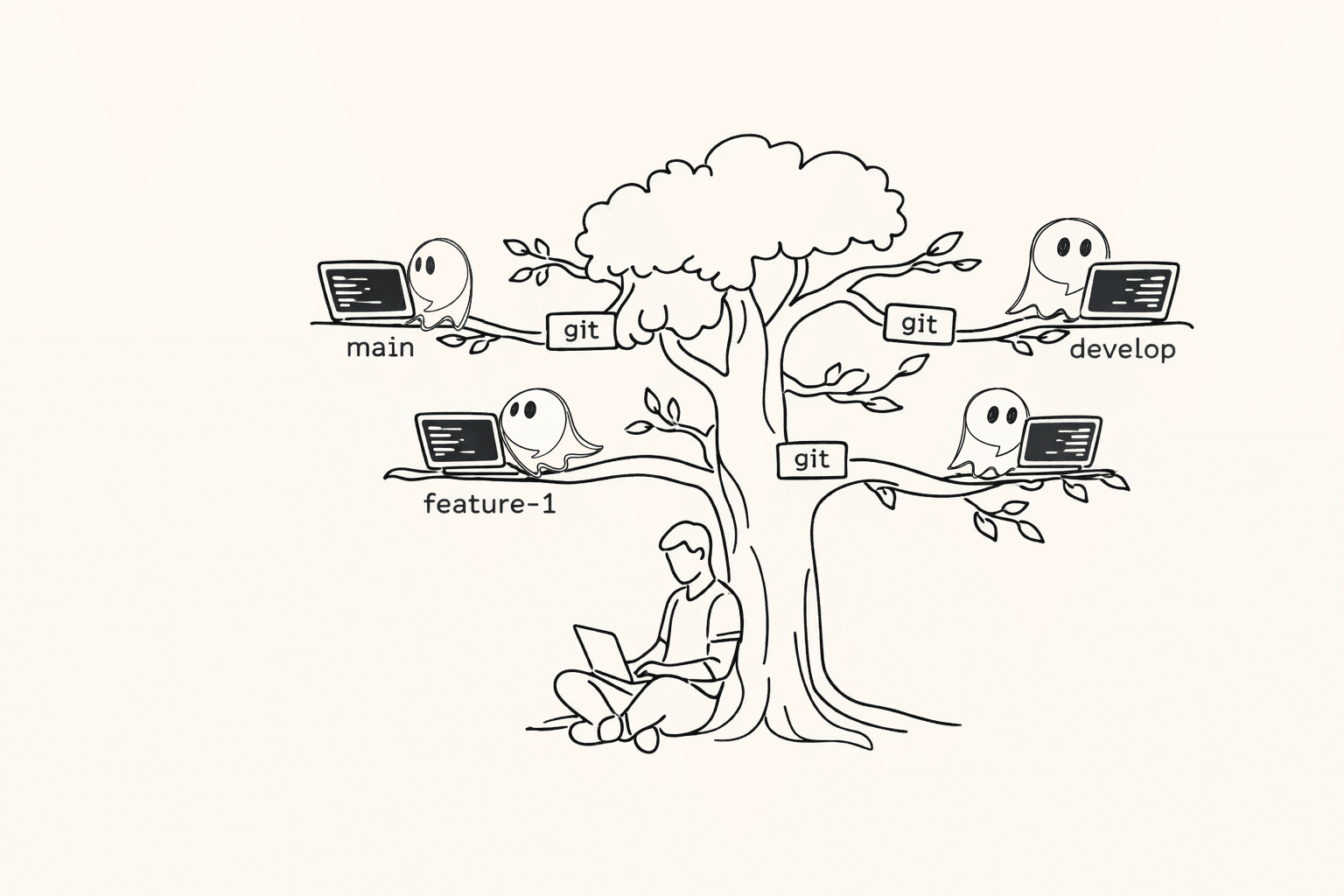
So if two agents share a checkout, they're not parallel. They're two toddlers in one kitchen. For example, one agent cleans dist/ while the other assumes it exists. Both are reasonable. The workspace becomes unreasonable.
The fix is boring. Which is why it works. Give each agent its own workspace.
Two levels of workspace
There are two ways to do this, and they solve slightly different problems:
- Worktrees for code isolation.
- Containers for full isolation (we support Docker).
For example, if you just want to keep node_modules and build artifacts from colliding, worktrees are enough. But if you also want to isolate system packages, ports, background services, and secrets, containers win. The trick is knowing which level you need.
Level 1: Worktrees for code isolation
A Git branch is a pointer. A Git worktree is a directory. For example, you can have ../wt-fix-tests and ../wt-docs side by side, each with its own working directory, untracked files, and build output.
This is what most "multi-agent" setups accidentally miss. They treat "different branch" as "different sandbox." But branches don't isolate the filesystem. For example, two agents on two different branches can still corrupt the same node_modules if they share one checkout.
Worktrees fix the physical problem. For example, Agent A can run a build that generates dist/ inside ../wt-fix-tests, while Agent B generates a different dist/ inside ../wt-docs, and they never touch.
The basic flow
git fetch origin
git worktree add -b agent/fix-tests ../wt-fix-tests origin/main
Now your agent runs in ../wt-fix-tests. For example, it can install deps, run tests, and make changes without turning your main checkout into a landfill. And when you're done:
git worktree remove ../wt-fix-tests
git branch -d agent/fix-tests
Clean desks matter. For example, ten stale worktrees feel like ten browser tabs you forgot about. Eventually you stop trusting any of them.
Pushing worktrees further with setup hooks
Worktrees isolate code and repo-local state. But agents also need a working environment. For example, they need API keys, a database, migrations, seed data, and sometimes a local emulator.
So we push worktrees further with a simple rule: when a worktree is created, we run .agentastic/setup.sh. That's it. For example, if you create ../wt-fix-tests, we execute .agentastic/setup.sh in that worktree right away.
This is underrated, because it turns "a folder" into "a ready-to-run session." For example, your setup hook can:
- Create a
.envfrom a template. - Fetch secrets from your secret store (instead of committing them).
- Start a database (or point to a per-worktree DB).
- Run migrations.
- Install dependencies.
- Warm caches.
- Write a per-worktree config like ports.
A good setup script does one thing. It makes "fresh checkout" feel like "ready to work." For example, an agent can start, run tests, and propose a diff without you doing the ritual dance of setup steps.
A concrete hook example
Here's the kind of thing that pays off immediately:
# .agentastic/setup.sh (example)
set -e

# 1) Install deps
npm ci

# 2) Per-worktree env
cp -n .env.example .env || true

# 3) Per-worktree port to avoid collisions
echo "PORT=$(python -c 'import random; print(random.randint(3000,3999))')" >> .env

# 4) Bring up services (or point to a shared one)
docker compose up -d db

# 5) Migrate
npm run db:migrate
The point isn't the exact commands. The point is the shape. For example, every new agent workspace becomes reproducible enough that you stop fearing parallel runs.
One important note (because this is where people get hurt): treat setup hooks as trusted code. For example, you don't want random PRs changing .agentastic/setup.sh and exfiltrating secrets. Lock it down like you'd lock down CI.
What worktrees actually isolate (and what they don't)
Worktrees give you strong isolation inside the repo. For example, each worktree has its own:
- Working directory.
- Untracked files.
- Build artifacts that live under the repo.
- Checkout state.
But they don't isolate global machine state. For example, two worktrees can still collide on:
- Ports (two servers on 3000).
- Global caches (
~/.cache,~/.npm,~/.cargo). - Shared local databases.
- Background daemons.
- System-level dependencies.
You can patch a lot of this with conventions. For example, .agentastic/setup.sh can pick a unique port and write it to .env. But you can't patch all of it without isolating the machine. Which leads to level 2.
Level 2: Containers for full isolation (Docker)
A container is a bigger desk. It's more like a separate room. For example, you can give an agent its own filesystem image, its own dependency graph, its own services, and a controlled set of secrets.
This matters when the agent's work isn't just "edit and test." It matters when the agent is running things. For example, if an agent needs Postgres + Redis + a specific OS package, you don't want it mutating your laptop until it happens to work.
With Docker, you can make the environment part of the task. For example, the agent runs in the same container image CI runs, so "it works here" starts to mean "it works."
Containers also give you a safety boundary. For example, you can restrict what files get mounted, what network access exists, and what secrets are available. (They're not magic. They share the host kernel. But they're a big improvement over "agent has your whole machine.")
Worktrees vs containers: pros and cons
This is the part most posts skip. They say "use containers" like it's free. It's not free. It's worth it sometimes.
Worktrees (code isolation)
Pros
- Fast to create. For example,
git worktree addtakes seconds and shares history. - Low friction. For example, your editor and tooling work exactly like normal.
- Great diffs. For example, "one worktree = one task" produces reviewable changes.
- Works everywhere Git works. For example, no Docker daemon required.
Cons
- Not full isolation. For example, ports and global caches can still collide.
- Reproducibility is softer. For example, two dev machines can still behave differently.
- Secrets and services are your job. For example, you need conventions like
.agentastic/setup.shto avoid "works on my machine."
Containers (full isolation)
Pros
- Reproducible environment. For example, the agent runs with the same OS packages as CI.
- Strong dependency isolation. For example, Python, Node, system libs, and CLIs don't leak into your host.
- Better safety boundaries. For example, you can limit mounts and control what secrets exist.
- Great for multi-service stacks. For example, Docker Compose can give each agent its own DB.
Cons
- More moving parts. For example, Dockerfiles, images, volumes, compose configs.
- Slower startup sometimes. For example, building an image can take longer than creating a worktree.
- Debugging can be weirder. For example, file watching, permissions, and volume performance can bite you.
- Resource heavier. For example, ten agent containers can melt a laptop if you're not careful.
The pattern is simple: worktrees optimize for speed and flow. Containers optimize for correctness and safety.
The best setup is usually both
The real win is not choosing one. It's composing them. For example, the cleanest mental model for parallel agents is:
- One worktree per task (clean diffs, clean review).
- Optional container per worktree (reproducible runtime).
That gives you two dials:
- How isolated is the code?
- How isolated is the runtime?
So you can match isolation to risk. For example, a docs change probably doesn't need a container. But a dependency bump that runs migrations probably does.
What this means for agentic IDEs
Most agentic IDEs talk about "more autonomy." I think autonomy is overrated. Boundaries are underrated. For example, the difference between "agent feels scary" and "agent feels useful" is whether it can trash your workspace.
So an agentic IDE should default to boundaries:
- Create a worktree for every task.
- Run
.agentastic/setup.shon creation. - Optionally spin up a Docker environment for that worktree.
- Show you one diff you can merge or delete.
That's what "agent reliability" looks like in practice. Not better prompts. Fewer shared surfaces.
A quick decision rule
If you only remember one thing, remember this:
- Use a worktree when you want parallel code changes with minimal overhead. For example, "fix flaky test" and "update docs" can run at the same time.
- Use a container when you need a stable, reproducible runtime or stronger safety. For example, "upgrade Postgres driver" or "run migrations and seed data" should not depend on what's installed on your laptop.